
[L]EARNOur Time Back
Bring visual lessons, student practice and class progress into one teaching space.
See what your students understand and decide where to go next.
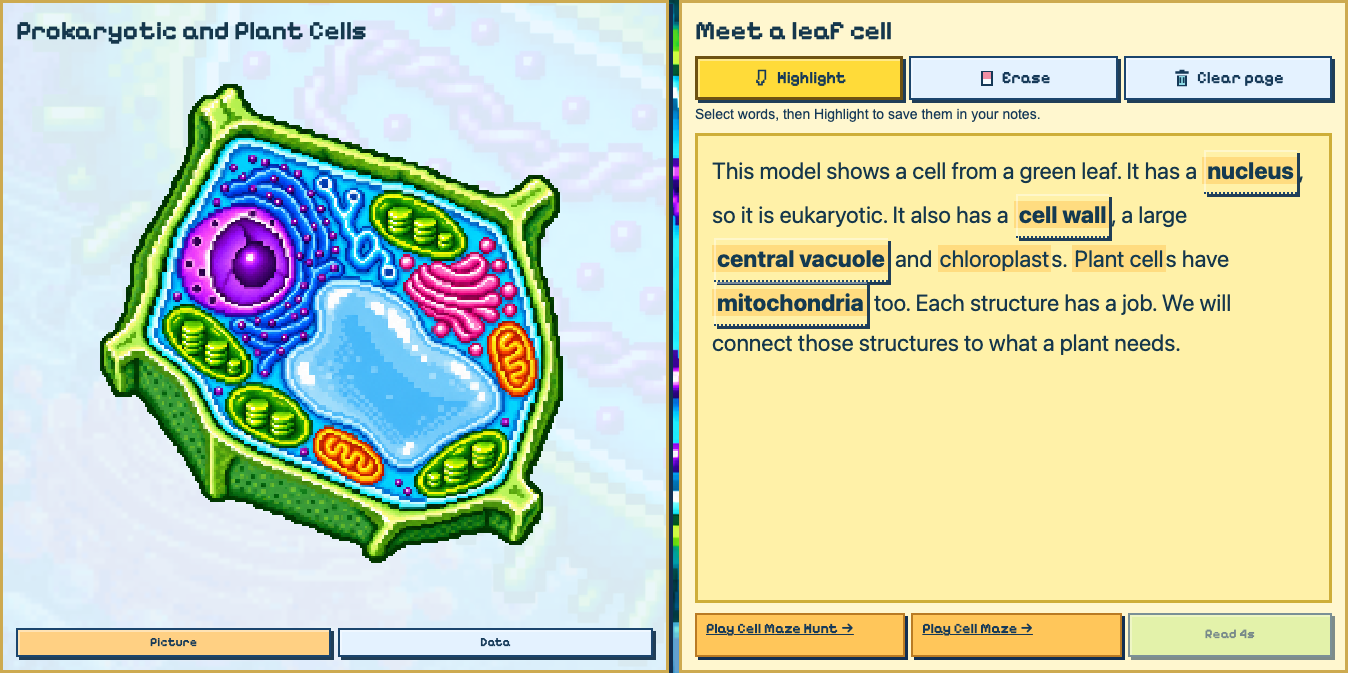
Know where
to begin tomorrow.
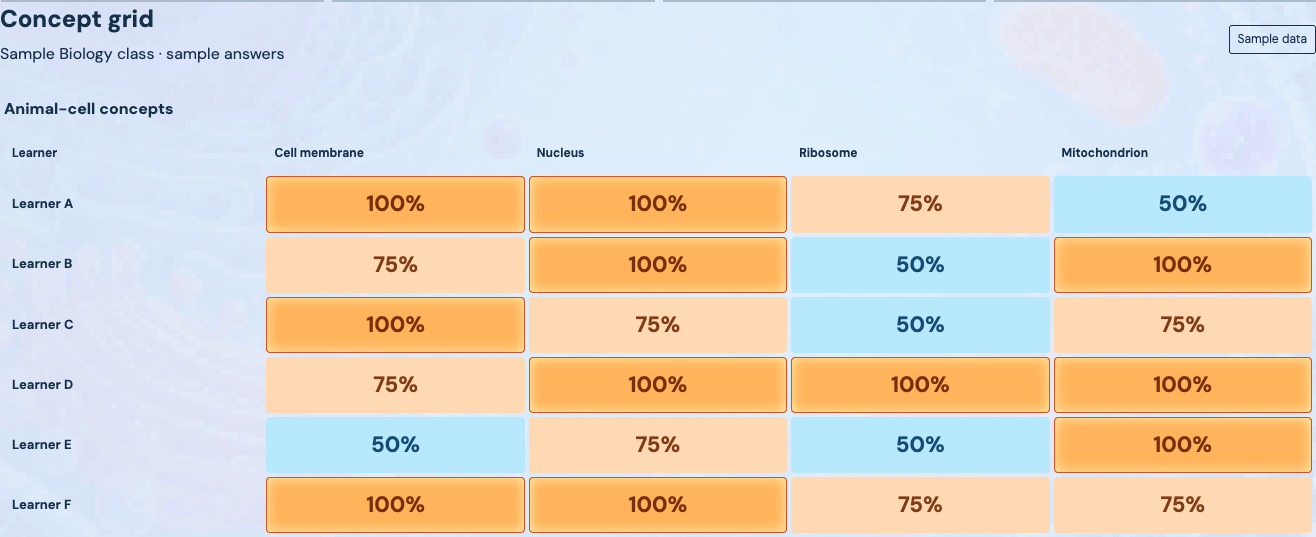
A class average can hide very different needs. The concept grid helps you see patterns across the class and follow up with individual learners.
Use saved answers and progress to choose the concepts that need another explanation.
A place to learn.
A reason to return.
Students can find their lessons, return to saved work and practise with flashcards. Illustrated explanations keep the learning visible.
Character creation and optional arcade games give the space a personality of its own.
Open your learning space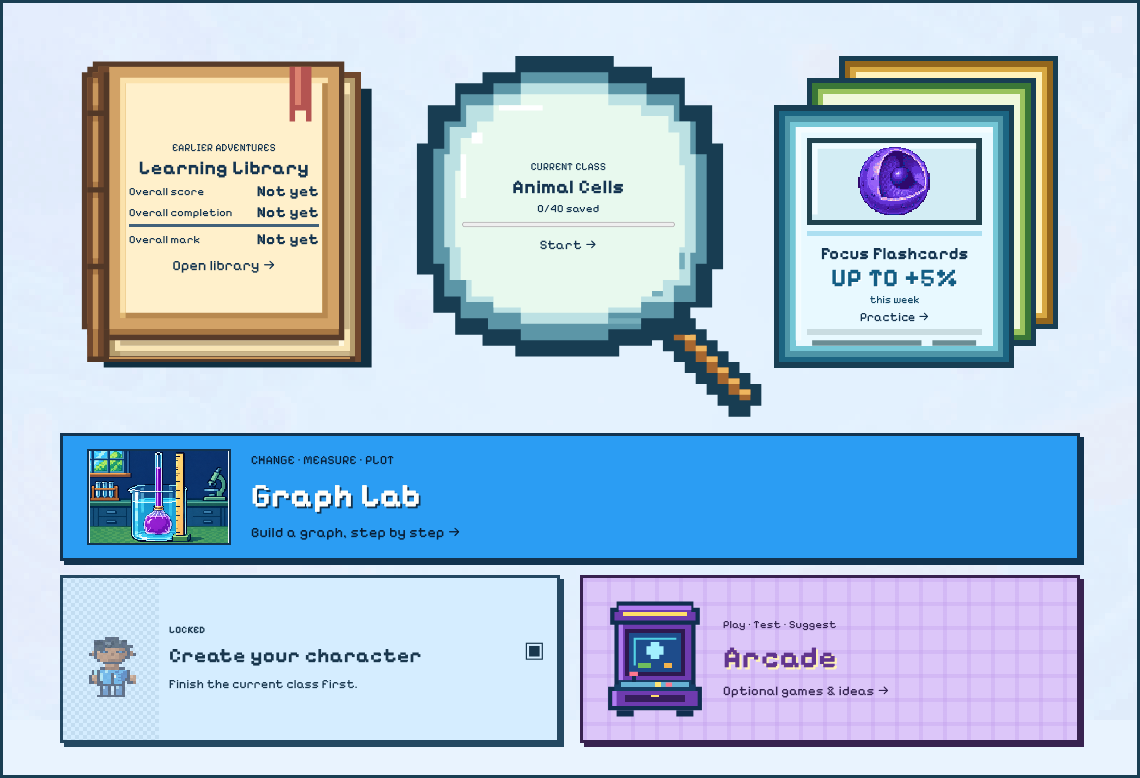
The next lesson starts
with what you learn today.
Bring teaching, practice and reviewed feedback into the same conversation. You choose what your class needs next.
- 1
Teach
Explain a concept with visual lessons and memorable examples.
- 2
Practise
Let students try it, check their understanding and return to the explanation.
- 3
Review
Use saved work and teacher-reviewed AutoMark feedback to find the gaps.
- 4
Respond
Choose the next explanation, practice task or class discussion.
Make the lesson yours.
Review Rant lets teachers move through lessons, leave notes for a slide, topic or unit, and return where they stopped. Comments save as you work.

More room for teaching.
Your lessons, practice and progress belong together.